01
Why manual PDF organization becomes difficult
A few PDF files are easy to manage. The problem appears when a collection grows into hundreds or thousands of documents. At that point, filenames, folders, and manual sorting often stop providing enough context.
A file called scan_0048.pdf tells you almost nothing about what is inside it. The same problem appears with generic names such as document-final.pdf or IMG_4821.pdf.
The real challenge is not storing PDF files. It is turning a collection of files into information that can be understood and retrieved efficiently.
02
What is an automatic PDF organizer?
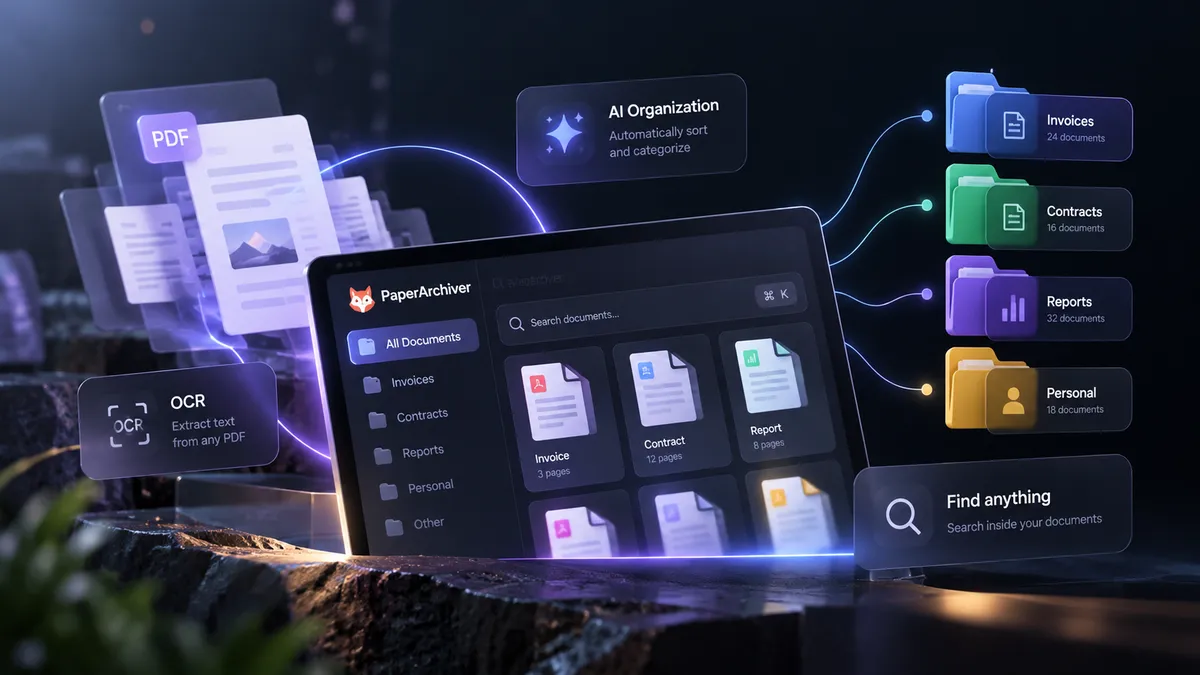
An automatic PDF organizer analyzes documents and uses their content to help determine how they should be structured. Instead of relying exclusively on filenames, the system can use extracted text, document context, and document type.
Understand
Analyze document content.
Group
Connect related documents.
Name
Create meaningful filenames.
03
The role of OCR
Many important documents are scans rather than digitally generated PDFs. Visually, a scanned invoice may contain perfectly readable information, but to software it can simply be an image.
Optical Character Recognition, commonly called OCR, converts visible characters into machine-readable text. This creates a foundation for search and further document processing.
Learn more about PDF OCR04
Intelligent document grouping
Once text and document context are available, related pages can be analyzed together. This is particularly useful when a large collection contains multiple documents mixed together.
For example, pages containing invoice information can be grouped separately from contracts, administrative records, or financial statements.
05
Automatic PDF naming
Meaningful filenames make archives significantly easier to navigate. Instead of keeping generic names, an automated workflow can use document information to create filenames that describe what the document actually contains.
Before
scan_00842.pdf
After
ACME_Invoice_10482.pdf
06
Searching inside documents
File names can tell you what you called a document. Full-text search can tell you what the document contains. That difference becomes increasingly important as an archive grows.
07
Building an efficient document workflow
A good PDF organization workflow should reduce repetitive manual work rather than simply move files between folders. A practical process can begin with collecting documents, continue with OCR and content analysis, and finish with grouping, naming, search, and archiving.
AI PDF Organizer
Organize and structure PDF collections intelligently.
ExploreDocument Archiving
Build a structured and searchable document archive.
ExploreTurn a collection of files into a real archive.
PaperArchiver combines OCR, intelligent organization, search, and document processing to structure your PDFs.
Explore PaperArchiver